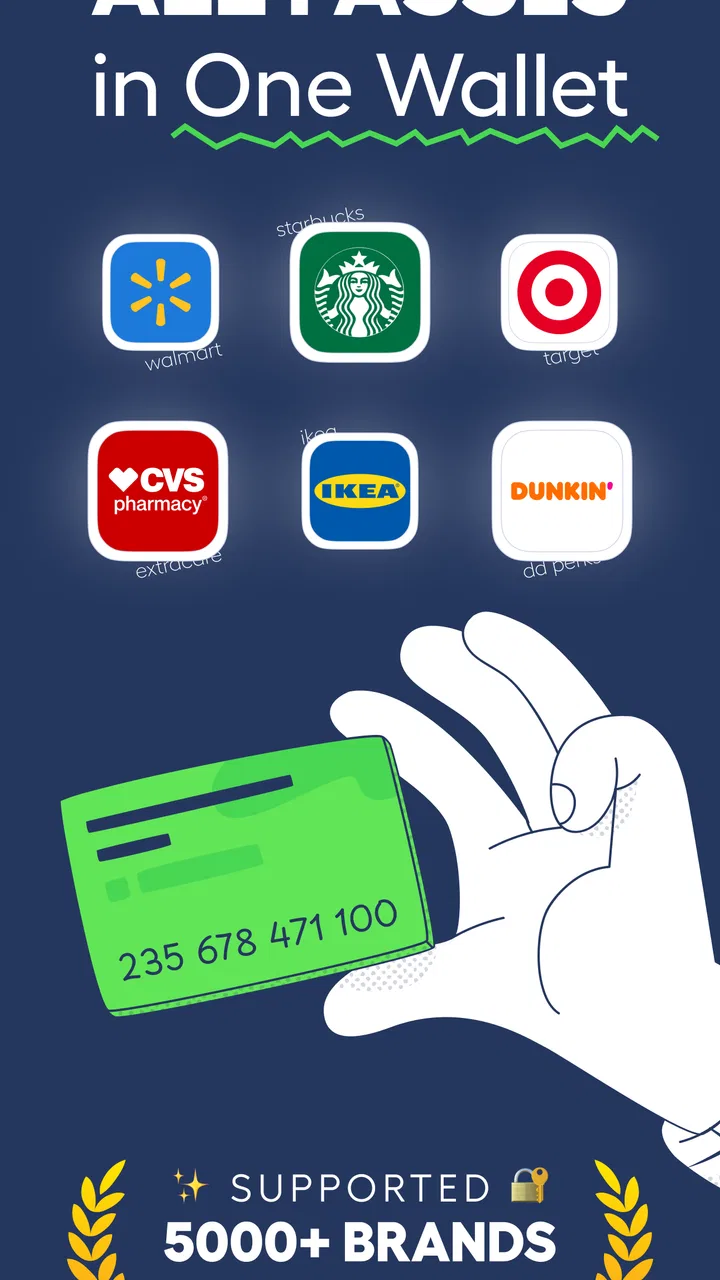
Wallet - Digital Wallet Card
- 4.4
- Rating
- 1.00M
- Installs
- Free
- Price

 Analysis by App-foxy
I keep loyalty cards for places I visit only occasionally, which means they usually end up in one of three places: a crowded physical wallet, an old screenshot folder, or buried in an email. The problem is not collecting the cards; it is finding the right barcode quickly when someone is waiting at the checkout. Wallet - Digital Wallet Card is built around that small but recurring annoyance. It gives those cards a dedicated home and is designed to keep the saved information available offline, so the useful part is less about adding another shopping service and more about reducing the few seconds of searching that happen again and again.
I reviewed it as a productivity app rather than as a replacement for a bank wallet. Its focus is narrower: loyalty cards, barcodes, and passes. That narrow purpose is also its main appeal. Instead of mixing payment cards, tickets, identification and rewards in one place, it gives a simple collection for the items I normally forget until I am standing at a counter. The app is free to install, rated for Everyone, and developed by SUNMARE DIGITAL TEKNOLOJI YAZILIM SANAYI TICARET.
Why this small utility can save time every week
The most convincing benefit appears when a card is needed unexpectedly. I might remember that I have a loyalty account, but not remember which retailer app contains it, whether I am signed in, or whether the store has reliable reception. A separate card wallet removes those decisions. I can open one place, find the relevant entry, and present the barcode. That is a modest improvement each time, yet it matters because the task repeats across supermarkets, cafés, pharmacies, clothing stores and other businesses.
You May Also Like

 Blood Strike: 2.5 Anniversary
Blood Strike’s Loadouts Turn Every Drop Into a Tactical Gamble
A close look at Blood Strike’s custom loadouts: how fast access to signature weapons reshapes its battle royale rhythm, rewards preparation, and narrows the gap between fights.

 Pandora - Music & Podcasts
Pandora’s Music Is Easy to Start, but Harder to Recover
Pandora’s strength is its low-effort path from a seed to a station. Its weak spot is how much confidence it asks you to place in connection, setup, and quiet recovery.

 8 Ball Pool
 Is Built on Rivalries, Rematches, and Routine
A close look at the rivalries, rematches, shared routines, and unanswered safety questions that turn a quick pool match into a persistent mobile community.

 Samsung Music
’s Quiet Strength Is Playing What You Already Own
Its reach comes less from spectacle than from dependable access to a personal library. That simplicity is both the app’s strongest retention engine and its ceiling.

 AccuWeather: Weather Radar
AccuWeather Review: A Quick, Clear Forecast for Everyday Decisions
For everyday plans, the best forecast is the one you can understand quickly. AccuWeather makes rain timing, radar, and local conditions easy to act on, with a few trade-offs.

 Hill Climb Racing
Why Hill Climb Racing Still Turns Crashes Into One More Run
A tiny car, a bumpy hill and one more upgrade: Hill Climb Racing keeps resurfacing because its simple chaos makes every near-miss feel personal.
More From Our News Desk



The offline angle is particularly practical. A barcode saved locally should remain useful in a basement shop, a busy checkout area, or a building where mobile service is weak. I would still treat the app as a convenience tool rather than assume that every pass or retailer system works without an internet connection; the merchant’s scanner and account rules remain outside the app. Still, storing the card itself offline addresses one of the most common points of failure in ordinary loyalty apps: waiting for a page or account screen to load.
Its current average rating is 4.4 from around 14 thousand ratings, and the app has passed 500 thousand installs. Those figures suggest that the straightforward card-wallet idea is reaching a meaningful audience, but they do not remove the need to judge whether the workflow matches your habits. Someone who carries only one or two cards may not notice much difference. Someone with a thick stack of memberships is more likely to appreciate the separation.
Setting up a useful collection instead of another messy folder
The first useful setup is not simply adding every barcode I can find. I would start with the cards I use most often and give each one a recognizable name. A clear label is more valuable than trying to remember where a particular image came from. If several cards belong to similar stores, adding a location or purpose to the name can make the list faster to scan, especially when the screen is opened in a hurry.
Before relying on a saved card at a busy checkout, I would test it at a quiet visit. This is a practical step that many people skip. Barcodes can be difficult to scan if the screen is dim, covered by glare, or displayed at an awkward size. Testing lets me discover whether I need to increase brightness, hold the phone farther from the reader, or rotate the device. The app can keep the card available, but the final scan still depends on the phone display and the retailer’s equipment.
I also prefer to add cards from the original source rather than from a low-quality screenshot whenever possible. A clean barcode gives the scanner a better chance of reading it. If a card is printed on paper, I would capture it in even lighting and check the result immediately. This is one of the less obvious trade-offs of a digital wallet: the convenience of importing a card does not guarantee that a blurry or damaged barcode becomes reliable.
The app runs on Android starting with version 8.0, which makes it suitable for many older devices rather than only recent phones. The current version is 1.0.7, so I would keep expectations realistic about the maturity of the experience. The core idea is easy to understand, but a newer utility can still feel less refined than a large retailer’s dedicated application or a phone maker’s built-in wallet. That is not a reason to dismiss it; it is a reason to judge it by the speed of the basic task.
What a normal shopping trip looks like
Imagine a weekly grocery run. I arrive with my phone but no physical loyalty card. Instead of opening the supermarket’s full app, signing in and navigating through promotions, I open this wallet and select the stored barcode. That saves time when I only want the membership scan. Afterward, I can close it and continue shopping without leaving a retailer account open in the background of my routine.
A second scenario is a café card that I use irregularly. The physical version might remain at home, while the retailer’s app may be too much effort for a single visit. Keeping the barcode in a compact collection means I do not need to remember the brand’s login details or search old messages. This is where the app feels most useful: not for a single favorite store with a polished rewards program, but for the scattered cards that are individually unimportant and collectively annoying.
It can also help when a family member uses a card that belongs to the household rather than to one person. I would be careful about sharing sensitive account information, but a household loyalty barcode can be easier to present from one device than to pass around a physical card. The benefit is organizational, not magical: the person holding the phone still needs access to the saved entry, and any retailer-specific restrictions still apply.
Passes create a slightly different use case. A pass may be convenient to keep beside loyalty cards, particularly when it is mainly a barcode or scannable code. I would not assume that every pass behaves like a fully interactive ticketing app. If a pass requires live updates, identity checks, changing seat details or a retailer’s own account screen, the dedicated service may remain the better choice. This wallet is strongest when the important thing is a code that needs to be shown quickly.
Where it removes friction, and where it does not
The biggest friction removed is app switching. Retailers often want me to use their own application, but installing several separate apps creates clutter, repeated sign-ins and a growing collection of notifications. A central card wallet gives me one starting point. I do not need to remember which store has a card saved, and I can keep occasional-use cards away from the apps I open every day.
It also reduces dependence on screenshots. Screenshots are easy to create but poor as a long-term filing system. They become mixed with receipts, conversations and photographs, and the filename rarely helps. A dedicated card list gives the barcode a clear context. That matters when I am standing in line and need to make a decision quickly rather than browse a gallery.
Offline storage is another useful distinction from many retailer-first workflows. If the card is already saved, I can prepare before leaving home and avoid making connectivity part of the checkout process. I would still charge my phone and keep the original account option available for important rewards or account changes. Offline access is a backup against weak reception, not a guarantee that a retailer will accept every stored image under every circumstance.
There is also a privacy-related trade-off in choosing a dedicated wallet. Keeping cards in one app is convenient, but it concentrates several pieces of shopping information in one place. I would avoid adding anything that contains more personal information than I actually need at the checkout. For ordinary loyalty barcodes, the convenience may outweigh the concern; for passes tied to identity or access, I would think more carefully about whether the retailer’s official application offers stronger controls or more current information.
The app is free, which makes trying the basic workflow easy. It includes in-app purchases ranging from $5.99 to $99.99 per item, so I would examine any purchase screen carefully before confirming an upgrade or optional item. The free entry point is attractive for someone who wants to test whether a central card list fits their routine, but the presence of purchases means I would not assume every possible capability is included without checking the app’s own wording.
Who will appreciate it most
I think this is a good match for people who carry many loyalty cards, shop at independent businesses, or dislike installing a separate app for every rewards program. It is also useful for anyone who frequently leaves physical cards at home and wants a repeatable place for barcodes. Older Android phone users may appreciate that the minimum operating system is not limited to the newest releases.
The app is less compelling for someone who already uses a built-in phone wallet successfully and has only a small number of cards. A phone’s native wallet may offer a smoother experience for supported passes, automatic suggestions or tighter integration with the lock screen. Likewise, a retailer’s official app is usually the better choice when I need live points balances, digital coupons, purchase history, account management or changing ticket information. A central barcode wallet cannot replace those services if I actively use them.
I would also skip it as my only solution for payment cards or identity documents. Its stated role is loyalty cards, barcodes and passes, not a complete financial wallet. Treating it as a general-purpose replacement could lead to disappointment or encourage me to store information that belongs in a more specialized, protected service. The best approach is to use it for the simple, repeatable items it handles well and keep more sensitive or interactive records in the appropriate official application.
Small habits that make the app more dependable
My first habit would be to organize before a shopping trip rather than during it. Adding a card while someone is waiting behind me is exactly the situation this kind of tool should prevent. I would save the barcode at home, open it once to confirm the label and image, and then close the app. That turns the checkout action into selection rather than troubleshooting.
My second habit would be to keep a fallback for cards that matter. A retailer’s official app, a physical card or an account number can be useful if a scanner refuses the digital display. This is not a criticism unique to this product; any phone-based barcode can be affected by a cracked screen, low battery, glare or a scanner that dislikes screen-based codes. The wallet reduces the chance of forgetting the card, but it cannot control the store’s hardware.
My third habit would be to review the collection occasionally. Old memberships and expired passes make a list slower to use. Removing entries that no longer matter keeps the most relevant cards near the surface and prevents the wallet from becoming another digital junk drawer. That maintenance takes little time, but it is what preserves the time-saving benefit over the long term.
I would also avoid confusing a saved barcode with proof of account ownership. Some rewards programs connect the code to a profile, while others may require a phone number or an active account. If a cashier needs more than the scan, I would follow the retailer’s process instead of assuming the stored image contains everything. This distinction is important for occasional users who want convenience without losing access to the full program.
My verdict after using it as a focused productivity tool
Wallet - Digital Wallet Card succeeds because it addresses a repetitive, unglamorous problem directly: getting the right loyalty barcode onto the screen without searching through paper cards, screenshots or a collection of retailer apps. Its offline-oriented design makes the workflow more dependable in places where connectivity is uncertain, and its focused scope keeps the purpose easy to understand.
It is not the best choice for users who need payment handling, live rewards information, automatic pass updates or deep integration with a particular retailer. Those needs favor a built-in phone wallet or the official service behind the card. I also recommend testing important codes before relying on them and keeping a fallback for situations where the scanner or merchant requires something else.
For my everyday use, the deciding question is simple: do I regularly waste time finding loyalty cards? If the answer is yes, this free productivity app is worth trying. The developer, SUNMARE DIGITAL TEKNOLOJI YAZILIM SANAYI TICARET, has kept the central idea practical rather than turning it into a full shopping platform. Its real strength is not adding more features; it is making a small checkout task predictable. That makes it a sensible companion for a crowded digital wallet, provided I use it for barcodes and passes rather than expecting it to replace every official wallet or retailer app.
FAQs for Wallet - Digital Wallet Card
01What features does Wallet - Digital Wallet Card offer?
Wallet - Digital Wallet Card provides users with the ability to store and manage digital cards such as credit and debit cards, loyalty cards, and membership IDs. It also features secure encryption for safe transactions, seamless integration with online payment platforms, and real-time tracking of expenses and balances.
02Is Wallet - Digital Wallet Card secure to use?
Yes, Wallet - Digital Wallet Card prioritizes security by employing advanced encryption and authentication measures. It ensures that all personal and financial information is protected against unauthorized access. Additionally, the app regularly updates its security protocols to keep up with the latest threats.
03Can I use Wallet - Digital Wallet Card internationally?
Wallet - Digital Wallet Card is designed to work globally, allowing users to make payments and manage finances across different countries and currencies. However, availability of certain features may vary depending on regional regulations and the policies of financial institutions.
04Does Wallet - Digital Wallet Card support all types of cards?
While Wallet - Digital Wallet Card supports a wide range of digital cards, including major credit and debit cards, some less common or region-specific cards may not be compatible. Users are encouraged to check the app's compatibility list or contact customer support for specific card inquiries.
05Are there any fees associated with using Wallet - Digital Wallet Card?
Wallet - Digital Wallet Card generally offers a free version with basic features. However, there may be fees associated with premium features, international transactions, or certain payment processes. Users should review the app’s pricing structure and terms of service to understand any potential costs.
Pros
- User-friendly interface for easy navigation.
- Supports multiple currencies for global use.
- Secure encryption ensures data safety.
- Quick setup with minimal personal info needed.
- Compatible with various payment platforms.
Cons
- Limited customer support availability.
- Occasional sync issues with bank accounts.
- Lacks advanced budgeting features.
- Some features locked behind a paywall.
- Not all banks are supported for linking.

Wallet - Digital Wallet Card
Gallery